Ordering instructions
Add items the items you want (Tamales, Tamales to Donate, Salsa)
Add the tip or extra gift you’d like to make to the family in the “Support the Kitchen” section.
In the check-out details section, enter your name (pseudonym okay!) and email (this is the email where you’ll get notified that Tamales are ready). Do not enter a Group unless you were specifically instructed to enter one by an organizer.
Click the "Pay with Venmo" button which will allow you to login and pay directly or transition to pay through another device via qr code. It will automatically load your dollar amount and the payee and generate a unique Order ID for you. If you do pay through the qr code or the link and instead manually enter the payment information into venmo, you'll need to email your order to tamales@sellwoodtamaleclub.net because it wont be captured automatically.
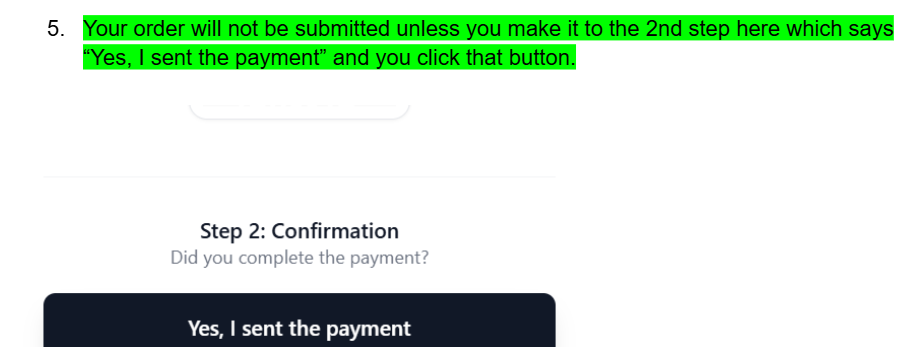
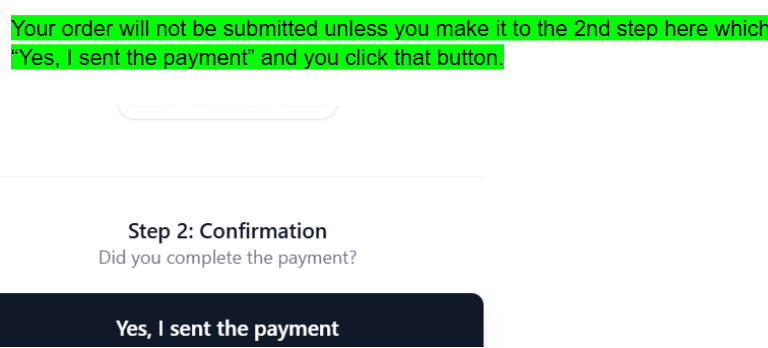
***Your order will not be submitted unless you make it to the 2nd step here which says “Yes, I sent the payment” and you click that button***